



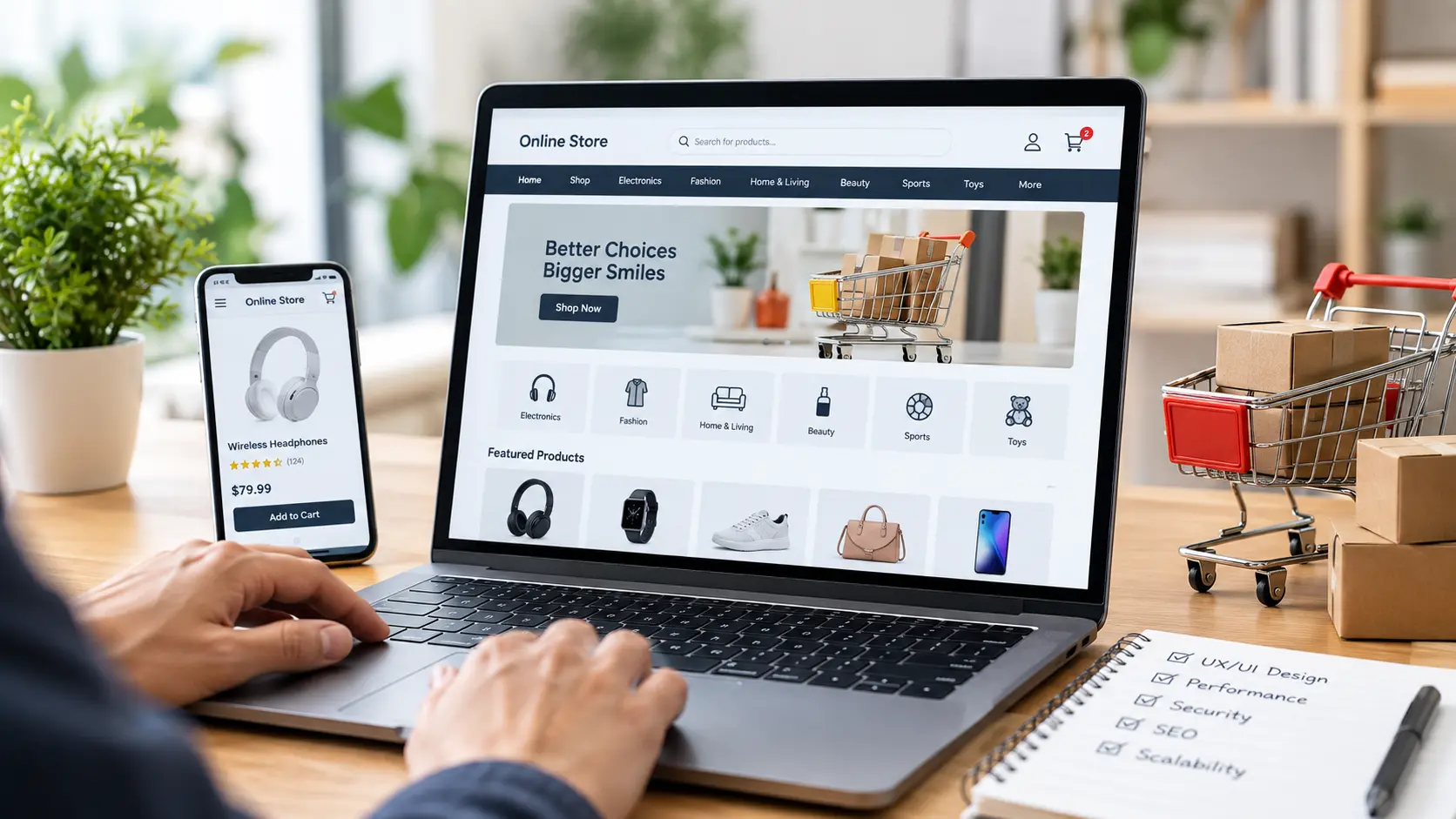
eCommerce Website Development: How to Build an Online Store That Sells
Imagine someone discovering your online store for the first time.
They find a product they genuinely like. The pictures look good, the price fits their budget, and they can already imagine using it. They add the product to their cart and begin moving towards checkout.
Then something goes wrong.
Perhaps the website takes too long to load. Maybe the delivery charges appear unexpectedly. The checkout form asks for too much information, or the customer cannot find a payment option they trust.
They close the tab and move on.
For the business owner, it can feel confusing. The product was good. The price was competitive. The customer was interested. So why didn’t the purchase happen?
This is one of the challenges that eCommerce website development needs to address. Building an online store is not simply about uploading products and making them available for purchase. It involves creating a shopping experience that helps people discover products, understand their options, feel confident about buying, and complete their orders without unnecessary difficulty.
A successful online store needs more than attractive visuals. It needs thoughtful planning, reliable technology, clear product information, convenient checkout, and a structure that can grow alongside the business.
Whether you are launching your first online store or improving an existing one, understanding these elements can help you make better decisions about your investment.
Let’s look at what really matters when building an eCommerce website that supports long-term business growth.
What Is eCommerce Website Development?
eCommerce website development is the process of planning, designing, building, testing, and maintaining a website that allows customers to purchase products or services online.
Depending on the business, an online store might sell clothing, electronics, handmade products, digital downloads, subscription services, or specialized business supplies.
The development process typically involves several connected elements:
- Website design and navigation.
- Product listings and category pages.
- Shopping cart functionality.
- Secure payment integration.
- Shipping, delivery, and tax configuration.
- Customer accounts and order management, where needed.
- Mobile responsiveness and website performance.
- Security, maintenance, and analytics.
These components need to work together.
For example, a beautifully designed product page will not be enough if inventory information is inaccurate. Similarly, a reliable payment gateway cannot compensate for a checkout experience that confuses customers.
The goal is to create a store where every important step, from discovering a product to receiving an order confirmation, feels clear and dependable.
1. Start With Your Business Model, Not the Website Design
Before choosing colors, layouts, or development tools, spend time understanding what your online store actually needs to accomplish.
This step sounds obvious, but it is easy to skip when you are excited about launching a new business.
A store selling 20 handmade products has different requirements from a retailer managing thousands of products across multiple categories. A subscription business has different billing needs from a company selling products that require delivery and returns.
Start by answering a few basic questions.
What are you selling?
Make a list of your main product categories, variations, and any special requirements.
A clothing store may need size and color variations. An electronics store may need detailed specifications and warranty information. A digital product business may need automated file delivery after payment.
Understanding these details early helps you avoid choosing a setup that becomes difficult to manage later.
Who are your customers?
Think about how your target customers shop, what information they need, and what might prevent them from completing a purchase.
Someone buying an inexpensive accessory may prioritize speed and convenience. Someone purchasing an expensive electronic product may spend more time comparing specifications, warranties, and customer reviews.
Your website should reflect these differences.
How will orders be fulfilled?
Will you store inventory yourself, work with a fulfillment partner, sell made-to-order products, or deliver digital files?
Your answer affects inventory management, delivery estimates, order notifications, and customer support.
The more clearly you define these requirements, the easier it becomes to build a store that supports your actual operations rather than simply looking impressive.
2. Choose the Right eCommerce Platform for Your Needs
One of the most important decisions in eCommerce website development is choosing the technology that will power your store.
There is no single platform that is best for every business. The right choice depends on your product range, budget, technical requirements, available expertise, and plans for future growth.
Hosted eCommerce platforms
Hosted platforms generally provide a managed environment for building and operating an online store.
They can be attractive to businesses that want a relatively straightforward way to manage products, orders, payments, and store settings without maintaining the entire underlying infrastructure themselves.
However, monthly fees, transaction-related costs, app requirements, and customization limits should be evaluated before committing.
Content management systems with eCommerce functionality
Some businesses prefer a content management system that can be extended with eCommerce features.
This approach may offer flexibility over website content, design, integrations, and the overall customer experience.
It can also require more attention to hosting, updates, security, compatibility, and ongoing maintenance, depending on the configuration.
Custom eCommerce development
A custom solution may make sense when a business needs specialized workflows, unusual product configurations, complex integrations, or a customer experience that existing platforms cannot reasonably support.
However, custom development generally requires careful planning and may involve higher initial costs and ongoing technical responsibility.
It is not automatically the best option simply because it offers more flexibility.
Before choosing a platform, compare the total cost of ownership, including development, hosting, applications, payment processing, maintenance, and future changes.
A sensible platform should support the way your business operates today while leaving room for realistic future needs.
3. Design Product Pages That Answer Real Questions
Product pages do a lot of the work in an online store.
Customers cannot physically touch an item, examine it in person, or ask a shop assistant to demonstrate its features. They rely on the information you provide.
If that information is incomplete, unclear, or difficult to find, they may hesitate to purchase.
A useful product page should answer the questions a customer is likely to have before placing an order.
Use clear product descriptions
Explain what the product is, who it is suitable for, and what makes it useful.
Avoid descriptions that consist entirely of generic claims such as “premium quality” or “best product available.”
For example, instead of describing a backpack as simply stylish and durable, explain its capacity, compartment layout, material, dimensions, and intended use when those details are relevant and accurate.
Specific information helps customers decide whether the product meets their needs.
Invest in useful product photography
Product images should help customers understand what they are buying.
Use clear photographs that show the product from relevant angles. Include close-up details where appropriate, and make sure images accurately represent colors, materials, proportions, and features.
For products where appearance changes purchasing decisions, additional views can help reduce uncertainty.
Keep image files optimized so they do not unnecessarily slow down the website.
Make pricing and availability clear
Customers should be able to identify the product price, available variations, and stock status without hunting through the page.
If additional costs apply, explain them as clearly as possible.
For products with multiple sizes or configurations, make the selection process intuitive and ensure the chosen option is reflected correctly in the cart.
The more confidently a customer can evaluate a product, the easier it becomes to make an informed purchasing decision.
4. Make Mobile Shopping a Priority
Many shoppers discover products and browse online stores on their phones.
They might find your product through a search result, social media post, advertisement, or recommendation from a friend. If the mobile shopping experience is uncomfortable, you could lose their interest before they even reach checkout.
This is why responsive design should be considered from the beginning of the development process.
A mobile-friendly store should have readable text, accessible navigation, appropriately sized buttons, and product images that display correctly on smaller screens.
The shopping cart and checkout process deserve particular attention.
Customers should be able to change quantities, select variations, review their orders, and enter delivery information without struggling with tiny controls or awkward layouts.
Test the website on actual mobile devices where possible. A layout that appears correct in a desktop preview does not always behave well on a real phone.
Also check whether promotional pop-ups cover important buttons or whether oversized banners push product information too far down the page.
Mobile usability is not about shrinking a desktop website. It is about making the shopping experience work naturally on a smaller screen.
5. Build a Checkout Process That Feels Simple and Trustworthy
A customer who reaches checkout has already shown interest in buying.
At this point, unnecessary complications can create frustration and increase the chance that the order will not be completed.
A well-designed checkout should help customers understand what they are paying for and what will happen after they place the order.
Avoid unnecessary form fields
Only request information that is genuinely needed to process the order.
If you do not need a particular detail to fulfill a purchase, consider whether it belongs in the checkout process.
Allow guest checkout where appropriate so customers are not forced to create an account unnecessarily.
Account creation can still be offered as a convenient option, especially when customers may return for future purchases.
Show costs before the final step
Unexpected shipping charges, taxes, or additional fees can undermine customer confidence.
Display the applicable costs as early and clearly as your business setup allows.
Where delivery costs depend on location, weight, or other factors, explain how they are calculated and help customers obtain an accurate total before completing payment.
Offer suitable payment methods
Payment preferences vary by country, audience, and business model.
Depending on your market, customers may expect credit or debit cards, digital wallets, bank-based payment options, or other supported methods.
Choose payment providers based on security, compatibility, supported regions, fees, settlement arrangements, and customer convenience.
Never assume that adding more payment options is automatically better. Each integration should be reliable and relevant to your customers.
Confirm what happens next
After a successful purchase, provide a clear confirmation page and order notification.
Customers should know that their order was received and understand how to access relevant order information or contact support if needed.
A checkout process that feels predictable can make the buying experience more comfortable and reduce avoidable support questions.
6. Treat Website Speed as Part of the Shopping Experience
When someone visits an online store, they expect to browse products, change categories, and open images without unnecessary delays.
A slow website can make even a good product range feel frustrating to explore.
Performance problems may come from oversized product images, excessive scripts, poorly configured caching, inefficient code, or infrastructure that cannot handle the workload effectively.
The first step is to measure the problem.
Use Google PageSpeed Insights to examine important pages and identify possible improvements.
Pay attention to product pages, category pages, and checkout-related experiences rather than testing only the homepage.
Common improvements include:
- Compressing and appropriately sizing images.
- Using modern image formats where supported.
- Removing unnecessary scripts and extensions.
- Reducing avoidable layout shifts.
- Reviewing caching and server performance.
- Loading nonessential resources more efficiently.
Do not add every available animation or marketing widget simply because it looks appealing.
Each additional feature should have a purpose. If it adds complexity without helping the customer or the business, it may not be worth the cost.
Performance improvements should be evaluated through real measurements and user experience, not just a single score.
7. Make Security and Customer Privacy Non-Negotiable
An online store handles information that customers expect you to protect.
Depending on the business, this may include names, delivery addresses, email addresses, order histories, and payment-related information.
Customers need confidence that their information will be handled responsibly.
Start with a secure website configuration, reliable hosting, regular software updates, appropriate access controls, and a clear process for responding to security issues.
Use established payment providers and follow the applicable security requirements for your payment setup. Avoid storing sensitive payment details yourself unless your architecture and compliance obligations specifically support it.
Other important practices include:
- Using HTTPS throughout the website.
- Enabling multi-factor authentication for administrative accounts where available.
- Limiting staff access according to their responsibilities.
- Maintaining tested backups.
- Removing unused accounts and extensions.
- Publishing accurate privacy, shipping, refund, and returns policies.
- Collecting only the customer information your business needs.
Security is not a one-time task completed when the website launches. It requires ongoing attention as the store, its integrations, and its customer base evolve.
For businesses serving customers in multiple jurisdictions, privacy and consumer protection requirements may differ. Review the rules that apply to your operations rather than assuming one policy covers every situation.
8. Make Your eCommerce Store Search-Friendly
An online store can have excellent products and still struggle to attract organic visitors if its pages are difficult to discover or understand.
SEO helps search engines interpret your product and category pages and gives potential customers another way to find your business.
Start with the pages that matter most commercially.
Optimize category pages
Category pages help customers browse groups of related products.
Use clear category names, descriptive headings, useful introductory content where appropriate, and navigation that makes it easy to narrow the available options.
Avoid creating numerous near-identical categories that add little value.
Write unique product titles and descriptions
Use accurate product names and descriptions that reflect what customers are actually searching for.
If several products have similar features, explain their meaningful differences instead of copying the same description across every page.
Include relevant details naturally. Do not force the same keyword into every heading or paragraph.
Use descriptive URLs and internal links
Keep product and category URLs understandable.
Link related products, useful buying guides, and relevant categories when those connections genuinely help customers navigate the store.
For example, an article explaining how to choose running shoes could link to the appropriate product category. A product page could link to a sizing guide where that information helps customers make a decision.
Handle duplicate and unavailable pages carefully
Product variations, filters, sorting options, and discontinued products can create SEO challenges on larger stores.
The appropriate approach depends on how the website generates URLs and manages its catalog.
Review canonical tags, indexation rules, redirects, and sitemap configuration where relevant. Avoid automatically indexing every filtered URL or deleting valuable product pages without considering their existing traffic and links.
Google’s SEO Starter Guide offers useful guidance for improving the discoverability and clarity of website content.
SEO should be built into the store’s structure from the beginning rather than added as an afterthought after hundreds of products have been published.
9. Build Trust Before Asking Customers to Buy
When shoppers encounter an unfamiliar online store, they may wonder whether the product will arrive, whether the description is accurate, or whether they will receive help if something goes wrong.
A professional appearance can help, but trust depends on more than design.
Provide clear business contact information and make it easy to understand your shipping, return, refund, and customer support policies.
Use genuine customer reviews when available, and never fabricate ratings or testimonials.
If your business has a physical location, established brand presence, or relevant certifications, present that information accurately.
For higher-value purchases, explain warranties, product specifications, and after-sales support in a way that customers can easily understand.
Avoid exaggerated claims such as guaranteed delivery dates or unrealistic product benefits unless you can genuinely support them.
Trust is strengthened when the information on your website matches the actual experience customers receive.
It also continues after checkout. Timely order updates, reliable fulfillment, and responsive customer support can influence whether someone returns to your store.
10. Use Analytics to Understand What Customers Do
Once your store is live, it is tempting to focus on headline figures such as total visitors, product views, and revenue.
Those numbers are useful, but they do not always explain what needs improvement.
Imagine that a particular product receives plenty of visits but very few purchases.
The cause could be unclear product information, an unsuitable price, unexpected shipping costs, poor-quality images, or a mismatch between the product and the audience arriving on the page.
You need more context before deciding what to change.
Depending on your analytics setup, useful measurements may include:
- Product page visits.
- Add-to-cart activity.
- Checkout initiation.
- Completed purchases.
- Checkout abandonment.
- Revenue by product or category.
- Traffic sources and customer acquisition costs.
- Repeat purchases and returning customer behavior.
Track these measurements in a way that respects applicable privacy requirements.
Look for patterns rather than reacting to every short-term fluctuation.
If many visitors view a product but rarely add it to their carts, investigate the product page and offer.
If many shoppers add products to their carts but do not complete checkout, examine delivery costs, payment options, form complexity, and technical errors.
If purchases are completed but customers rarely return, consider product quality, fulfillment, support, and whether your offerings meet customer expectations.
Analytics is most valuable when it helps you ask better questions and test sensible improvements.
11. Plan for Growth Without Overcomplicating the First Version
Many business owners want their online store to include every possible feature before launch.
They may request loyalty programs, advanced recommendations, multiple currencies, complex discount rules, subscription billing, custom dashboards, and dozens of integrations from day one.
Some of these features may eventually be valuable. However, building everything immediately can increase costs, create maintenance work, and delay the launch.
Start with the capabilities your customers and operations genuinely require.
For an initial store, that might mean reliable product management, a clear shopping experience, secure payments, order notifications, shipping configuration, and basic analytics.
As sales and operational needs develop, you can evaluate additional features based on evidence.
For example, if customers repeatedly ask about order status, better order tracking may become a priority. If returning customers make up a substantial part of your sales, a loyalty program may deserve attention. If manual inventory updates are consuming staff time, an integration with your inventory system could be useful.
This staged approach allows you to invest in improvements when there is a clear reason to do so.
Good eCommerce development is not about creating the most complicated store possible. It is about building a reliable foundation and expanding it thoughtfully.
12. Understand the Real Cost of eCommerce Website Development
The cost of building an online store varies widely because businesses have different requirements.
A simple store with a modest product catalog and standard checkout has different development needs from a large retailer with complex inventory rules, custom integrations, and multiple fulfillment locations.
When comparing proposals, look beyond the initial development fee.
Consider the full cost of operating the store, including:
- Platform or software subscriptions.
- Hosting and domain registration.
- Design and development.
- Product photography and content creation.
- Payment processing fees.
- Paid applications and integrations.
- Security and maintenance.
- Marketing and customer acquisition.
- Future enhancements and technical support.
Ask potential developers to explain what is included and what would be billed separately.
Clarify who will manage updates, handle technical issues, maintain integrations, and provide support after launch.
It is also worth discussing how the website will be handed over and whether your team will be able to manage everyday tasks such as adding products and updating inventory.
The cheapest proposal may not offer the best long-term value, but a more expensive custom solution is not automatically better either.
Choose an approach that meets your requirements without committing your business to unnecessary complexity.
A Practical eCommerce Website Development Checklist
Before launching or rebuilding your store, use this checklist to review the essentials.
-
The platform supports your products and business model.
-
Navigation and product categories are easy to understand.
-
Product descriptions, prices, images, and variations are accurate.
-
The website works properly on mobile devices.
-
Important pages load without unnecessary delays.
-
Customers can review delivery charges and policies before purchasing.
-
Payment processing and order notifications have been tested.
-
Shipping, returns, refunds, and contact information are clear.
-
Security settings, backups, and administrative access are configured appropriately.
-
Important product and category pages have appropriate SEO elements.
-
Analytics and purchase tracking have been tested.
-
The team understands how to manage products and orders.
-
A plan exists for maintenance, support, and future improvements.
You do not need to solve every possible future challenge before launching. However, these checks can help prevent avoidable problems from affecting the customer experience.
Frequently Asked Questions
How much does eCommerce website development cost?
The cost depends on the platform, product catalog, design requirements, integrations, and level of customization. A basic store can cost considerably less than a custom solution with complex business logic. Compare development fees alongside recurring subscriptions, payment processing, maintenance, and support.
How long does it take to build an eCommerce website?
A straightforward store may take considerably less time than a custom project involving complex integrations, extensive product data, or specialized workflows. The timeline also depends on how quickly content, product images, business decisions, and approvals are provided. A realistic schedule should account for testing before launch.
Which platform is best for an online store?
There is no universal answer. Hosted platforms, content management systems with eCommerce functionality, and custom development each offer different advantages. Choose based on your business requirements, budget, technical capabilities, and plans for future growth.
Is SEO important for an eCommerce website?
Yes. SEO can help customers discover relevant product and category pages through organic search. Important considerations include clear site structure, descriptive product information, useful internal links, suitable technical configuration, and content that answers customer questions. Rankings and traffic are not guaranteed.
How can I reduce abandoned shopping carts?
Start by investigating why shoppers leave. Make the checkout process straightforward, disclose applicable costs early, support suitable payment methods, provide clear delivery information, and test for technical problems. Cart abandonment has multiple causes, so use your store’s data to identify which improvements are most relevant.
Should I choose a custom eCommerce website or a ready-made platform?
A ready-made platform may be appropriate when its existing features meet your needs. Custom development may be justified when you require specialized workflows or integrations that existing platforms cannot reasonably support. Compare the full costs and ongoing maintenance requirements before deciding.
Final Thoughts
Building an online store is a meaningful investment, and it deserves more thought than simply selecting a theme and uploading products.
The best eCommerce experiences make shopping feel straightforward. Customers can find the products they need, understand what they are buying, review the costs, and complete their orders with confidence.
That experience depends on the details: product information, mobile usability, performance, security, checkout design, and the systems working behind the scenes.
It also depends on what happens after launch. An online store needs regular maintenance, accurate information, reliable order fulfillment, and improvements based on real customer behavior.
You do not have to build everything at once. Start with the requirements that matter most, choose technology that suits your business, test the entire shopping journey, and expand as your needs become clearer.
The real goal of eCommerce website development is not simply to put your products online. It is to create a dependable shopping experience that serves your customers and supports your business over time.
If you are planning a new online store or looking to improve an existing one, visit HiveRift to explore digital solutions that may support your eCommerce and website development goals.


