



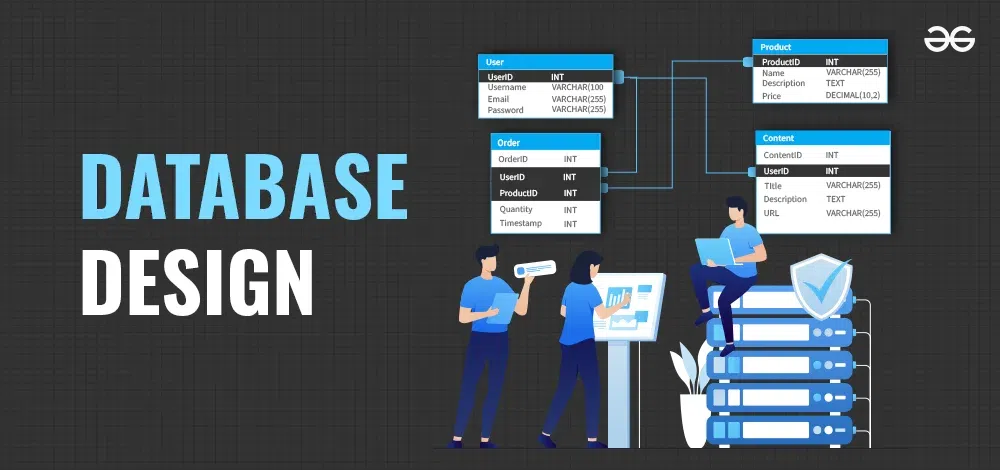
Database Design: 7 Smart Ways to Build Reliable Apps
A business application can look impressive on the screen and still create serious problems behind the scenes. Customer records get duplicated, reports show inconsistent numbers, orders become difficult to track, and employees spend more time correcting data than using it.
Often, the problem isn’t the interface or the features. It starts with database design.
A database is where an application stores and organizes the information it depends on. That information might include customer profiles, product details, invoices, bookings, employee records, or thousands of daily transactions. When the underlying structure is poorly planned, even a well-developed application can become difficult to maintain.
Good database design isn’t about making things unnecessarily complicated. It’s about organizing information so the application can work accurately today and remain manageable as the business grows.
Whether you’re planning new business software or improving an existing system, these seven decisions can help you build a more dependable foundation.
What Is Database Design, and Why Does It Matter?
Database design is the process of deciding how information will be stored, organized, connected, and protected within a database.
Imagine an online store that keeps customer information, shipping addresses, product details, and orders in one poorly organized table. The same customer’s details might appear dozens of times. If an address changes, several records may need updating. Miss one, and the system could use outdated information.
A properly designed database separates related information into logical structures and connects those structures through defined relationships.
This approach helps businesses maintain accurate records, retrieve information efficiently, reduce unnecessary duplication, and make future changes with less disruption.
For companies investing in custom software, planning the database early is an important part of building an application that can support real business operations.
1. Understand the Business Before Creating Tables
One of the easiest mistakes is starting database development before understanding how the business actually works.
A developer might begin creating tables for customers, products, and payments without asking how orders are processed, whether customers can have multiple addresses, or how refunds should be recorded.
Those unanswered questions eventually become development problems.
Before designing the database, identify the information your application needs and how employees or customers will use it.
Ask practical questions:
- What information must the system store?
- Who creates, updates, and views each record?
- Which records depend on other records?
- What information must be retained for reporting or compliance?
- What changes are likely as the business grows?
For example, a booking application may need separate records for customers, reservations, payments, and cancellations. Understanding the booking process first makes it easier to decide how these records should connect.
The goal is simple: design around actual business operations instead of forcing the business to work around an unsuitable data structure.
2. Organize Information Into the Right Tables
A database becomes difficult to maintain when unrelated information is mixed together or the same details are repeatedly stored in different places.
This is where normalization becomes useful.
Database normalization helps organize information to reduce unnecessary duplication and prevent certain update, insertion, and deletion problems.
Consider a customer who places five orders. Instead of repeatedly storing the customer’s full contact information in every order record, the application can maintain a customer record and associate each order with that customer.
A simplified structure might look like this:
- Customers: Customer ID, name, email address
- Orders: Order ID, customer ID, order date
- Order Items: Order ID, product ID, quantity
- Products: Product ID, product name, price
Each table has a clear purpose, and relationships connect the relevant information.
Normalization doesn’t mean splitting every possible detail into a separate table. Excessive fragmentation can make queries harder to understand. The right structure depends on the application’s requirements, reporting needs, and expected workload.
The important thing is to avoid duplication that creates unnecessary maintenance and inconsistent records.
3. Define Relationships and Data Rules Clearly
A database should not simply store information. It should also help prevent invalid information from entering the system.
This requires clearly defined relationships and constraints.
For example, an order should generally reference a valid customer. An order item should reference a product that exists in the product catalogue. A field that must always contain a value should not silently accept missing information.
Several database features can help enforce these rules:
- Primary keys uniquely identify records.
- Foreign keys connect related records and help maintain referential integrity.
- Unique constraints prevent duplicate values where uniqueness is required.
- NOT NULL constraints ensure required fields contain values.
- Check constraints enforce supported conditions on stored data.
Imagine an employee accidentally entering the same email address twice when the business requires each account to have a unique email. A suitable database constraint can reject the duplicate rather than relying entirely on the application interface.
The PostgreSQL documentation on constraints explains how these rules can be applied.
Business requirements should determine which constraints are appropriate. A rule that works for one application may not fit another.
4. Choose the Right Database Technology
Not every application needs the same database.
A traditional relational database may be a strong choice when information has clear relationships and transactions must remain consistent. A document-oriented database may suit certain applications that work with flexible, nested records. Other specialized databases may be appropriate for particular analytical or high-volume workloads.
The decision should follow the application’s needs rather than a technology trend.
Before choosing a database, consider:
- The structure and variety of the information
- Transaction and consistency requirements
- Expected read and write activity
- Integration with your existing technology
- Backup, recovery, and security requirements
- Hosting, licensing, and ongoing maintenance costs
- The team’s experience with the technology
For example, an inventory management system may benefit from relational tables and transaction controls because stock quantities, orders, and payments must remain consistent.
An application that processes large volumes of flexible event data may have different requirements.
There is no universally best database. A sensible choice is one that supports the business requirements without introducing unnecessary complexity.
5. Plan for Growth Without Overengineering
A database that works for 200 records may behave differently when it contains several million.
That doesn’t mean every startup needs an architecture designed for enormous traffic on day one. It means the database should be built with realistic growth in mind.
Start by estimating how much information the application will store, how quickly it will grow, and which operations users will perform most frequently.
Then consider appropriate indexing, data retention, query patterns, and the possibility of future changes.
Indexes can help a database locate information without scanning every record. However, creating too many indexes can increase storage requirements and slow down inserts, updates, and deletes.
For example, an order management application might frequently retrieve orders by customer ID or order date. Those access patterns can help developers decide whether indexes are worthwhile.
It is also important to test realistic workloads rather than assuming performance based on a small development database.
As the application grows, developers can review query performance, execution plans, and database resource usage before deciding whether more advanced changes are necessary.
Build for the growth you can reasonably anticipate, then improve the design using real evidence.
6. Make Security Part of the Database Design
Database security should not be added as an afterthought.
Business databases can contain customer contact details, financial records, employee information, and confidential operational data. Poor access controls or unsafe query handling can expose that information to unauthorized users.
Start by deciding who needs access to which information.
An employee responsible for viewing orders may not need permission to modify user accounts. A reporting service may need read-only access rather than full administrative privileges.
Useful security practices include:
- Granting users and applications only the permissions they require
- Using parameterized queries instead of building SQL commands through unsafe string concatenation
- Encrypting connections and protecting sensitive data where appropriate
- Keeping database credentials out of public source code
- Monitoring unusual access and failed authentication attempts
- Applying security updates and reviewing permissions regularly
Parameterized queries are particularly important because they help separate SQL commands from user-supplied values.
The OWASP SQL Injection Prevention Cheat Sheet provides practical guidance on preventing SQL injection.
Security requirements also depend on the information being stored and the regulations applicable to the business. Sensitive fields may need additional safeguards, retention rules, or restricted access.
7. Design Backups, Testing, and Maintenance Into the Plan
A well-structured database can still experience problems. Hardware failures, accidental deletions, software defects, and incorrect deployments can all affect business information.
That is why database design should include a practical plan for protecting and recovering data.
First, decide how frequently backups are required. A system that processes important transactions throughout the day may need more frequent protection than an internal application that changes only occasionally.
Next, determine how much data loss the business can tolerate and how quickly the system must be restored after a failure.
Backups should be stored securely, protected against unauthorized deletion, and tested through actual restoration exercises. A successful backup message alone does not prove that the business can recover its information.
Testing should also cover database changes before they reach production.
For example, adding a required field to an existing table may fail if older records do not contain a suitable value. A migration plan should explain how existing data will be handled and how the change will be rolled out safely.
Regular maintenance should include reviewing performance, checking database growth, updating supported software, and documenting important relationships and rules.
If the application is business-critical, database recovery should form part of the wider IT disaster recovery plan.
Common Database Design Mistakes Businesses Should Avoid
Even experienced teams can make design decisions that create avoidable problems later.
Watch for these warning signs:
- Storing everything in one large table: This often creates duplication and confusing relationships.
- Using unclear field names: Developers may struggle to understand what a field represents or how it should be used.
- Skipping constraints: Invalid or duplicate information may enter the system.
- Indexing without analysis: Extra indexes can increase maintenance costs without improving important queries.
- Ignoring permissions: Applications and employees may receive more access than necessary.
- Failing to document decisions: Future developers may find it difficult to understand the original design.
- Changing production data without a migration plan: Updates can cause downtime or leave records inconsistent.
These issues are easier to prevent when database requirements are reviewed during planning rather than after the application has already been deployed.
When Should a Business Review Its Database Design?
A database does not need to be rebuilt every time a business introduces a new feature. However, certain changes are good reasons to review the existing structure.
Consider a review if your team is experiencing frequent data inconsistencies, repeated manual corrections, slow queries, complicated reporting, or difficulty adding new features.
A review is also worthwhile when combining systems after a merger, replacing an older application, introducing new integrations, or handling more sensitive information.
Start by identifying the actual problem. Sometimes a missing index or poorly written query is responsible for a performance issue. In other cases, the underlying data model genuinely needs to change.
A careful assessment helps avoid expensive redesigns when a smaller improvement would solve the problem.
Businesses planning new applications can also work with an experienced development team to evaluate their requirements before committing to a particular database structure.
You can explore HiveRift US to learn more about software and web development solutions for business needs.
Conclusion
Good database design rarely gets the same attention as a new feature or a polished interface, but it has a major influence on how reliably an application works.
When information is organized properly, relationships are clear, data rules are enforced, and security is considered from the beginning, everyday business operations become easier to manage.
The best approach is to understand the business first, choose technology that fits its needs, and make deliberate decisions about data structure, performance, security, and recovery.
You don’t need the most complicated database architecture. You need one that stores the right information, keeps it consistent, protects it appropriately, and supports the way your business operates.
A reliable application starts with a foundation that makes sense.
Frequently Asked Questions
1. What is database design in software development?
Database design is the process of planning how an application’s information will be stored, organized, connected, and protected. It defines tables or other data structures, relationships, constraints, and rules for managing information.
2. Why is database design important for businesses?
Good database design helps reduce unnecessary duplication, improve data accuracy, support reliable transactions, simplify maintenance, and make applications easier to extend as business requirements change.
3. What is database normalization?
Database normalization is a method of organizing relational data to reduce unnecessary duplication and avoid certain data-related problems. It commonly involves separating related information into tables and connecting those tables through relationships.
4. Which database is best for a business application?
The right choice depends on the application’s data structure, transaction requirements, expected workload, integrations, security needs, budget, and maintenance capabilities. Relational and NoSQL databases can both be suitable for different use cases.
5. How can database design improve application performance?
A suitable data model, well-planned indexes, efficient queries, and realistic workload testing can improve performance. Indexes should be selected based on actual query patterns because they also introduce storage and write-maintenance costs.
6. How often should a business review its database?
There is no fixed schedule for every business. Review database performance, security, data quality, and growth regularly, and conduct a more focused assessment when adding major features, integrating systems, or investigating recurring problems.
7. Can an existing database be redesigned without rebuilding the entire application?
Often, yes. Developers can introduce carefully planned schema changes, data migrations, indexes, and constraints while preserving much of the existing application. The safest approach depends on the database’s current structure, dependencies, data quality, and downtime requirements.


