



Business Intelligence Dashboards: 7 Smart Benefits
Running a business means making decisions all day long. Which products are selling well? Why did expenses increase last month? Are sales improving, or does it only feel that way? Which part of the business needs attention first?
The answers often exist somewhere in your company’s data. The problem is that the information may be spread across spreadsheets, accounting software, customer relationship management tools, sales reports, and other systems.
By the time someone collects everything into a report, the situation may already have changed.
This is where business intelligence dashboards can make a real difference. They bring selected business information into one view, helping teams understand what is happening without digging through multiple reports every time they need an answer.
But a dashboard is useful only when it shows the right information and helps people act on it. Filling a screen with colourful charts does not automatically improve decision-making.
Let’s look at seven practical benefits of business intelligence dashboards and how to use them effectively.
What Are Business Intelligence Dashboards?
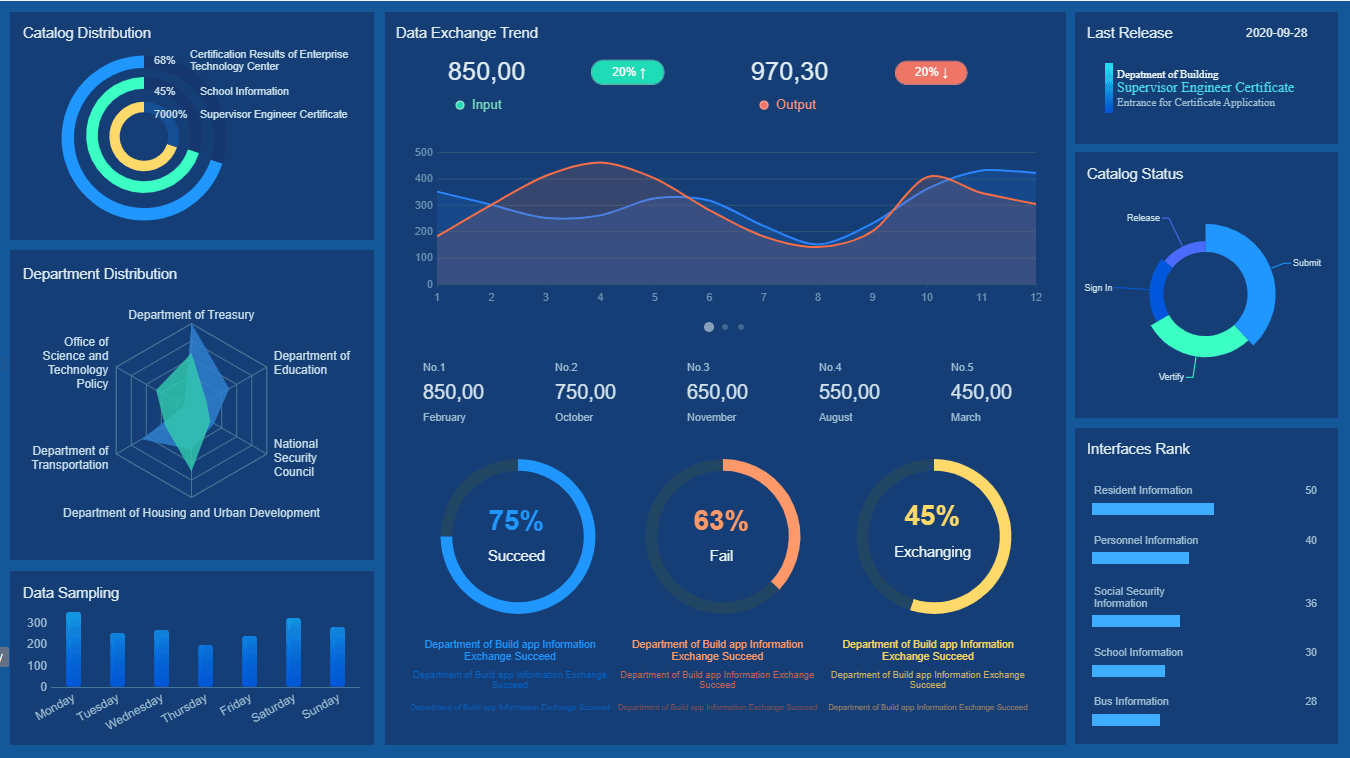
Business intelligence dashboards are visual interfaces that present important business data through charts, tables, metrics, and other summaries.
Depending on the system, a dashboard might display sales performance, customer activity, inventory levels, financial indicators, marketing results, or operational progress.
For example, a retail business could use a dashboard to review revenue, order volume, stock availability, and returns. A service company might track new enquiries, project progress, staff utilization, and outstanding invoices.
Instead of opening several applications and comparing reports manually, decision-makers can view connected information in one place.
Dashboards can also support different levels of detail. A business owner may need a high-level overview, while a sales manager needs to examine individual deals or team performance.
The aim is not to show everything. It is to make the information that matters easier to understand and use.
1. See Business Performance More Clearly
Business owners often receive reports that look impressive but leave one important question unanswered: what is actually happening?
A well-designed dashboard makes key performance indicators, or KPIs, easier to review.
For example, a sales dashboard might show revenue against a target, the number of qualified opportunities, conversion rates, and the value of the current pipeline.
The benefit comes from seeing these measures together. Revenue may be increasing, but if the number of qualified opportunities is falling, the business may need to investigate what is driving the change.
Similarly, rising website enquiries might appear positive until you discover that the proportion of enquiries turning into paying customers has declined.
A dashboard helps reveal these relationships more clearly.
Start by identifying the few measures that genuinely reflect your business goals. Display them prominently and make sure their definitions are consistent.
If one team counts every enquiry as a lead while another counts only qualified prospects, the numbers will not provide a reliable comparison.
Clear metrics make business performance easier to discuss and easier to act on.
2. Reduce Manual Reporting Work
Think about the time employees spend downloading spreadsheets, copying figures, formatting charts, checking totals, and preparing weekly reports.
Some manual reporting is necessary, but repeating the same steps every week can consume time that could be spent understanding the results.
Business intelligence dashboards can reduce this repetitive work when they connect to reliable data sources and refresh information automatically or on a defined schedule.
For example, a manager who previously combined three spreadsheets to prepare a sales summary might be able to review the relevant figures through a single dashboard.
That does not mean every report can or should be automated. Data may still require review, reconciliation, or explanation. Some sources may need manual updates, and integrations can fail.
The practical goal is to remove avoidable repetition while keeping appropriate checks in place.
Before building a dashboard, identify the reports your team prepares repeatedly. Find out where the data comes from, which steps take the most time, and which calculations are frequently repeated.
Those reports can provide a sensible starting point for automation.
3. Spot Trends Before They Become Bigger Problems
A single number tells you what happened at one moment. A trend helps you understand how a situation is changing.
Suppose your business normally receives a steady number of customer enquiries each week. Over several weeks, that number gradually declines.
If you review only the latest monthly report, the change may not seem dramatic. A dashboard showing the longer-term pattern can make it easier to recognize that something deserves attention.
The same principle applies to expenses, customer retention, delivery delays, product returns, and project completion rates.
Useful dashboards allow people to compare current performance with a relevant baseline, such as the previous month, the same period last year, or a defined business target.
Context matters, though. A seasonal business may naturally experience fluctuations, and a change in one metric does not automatically explain its cause.
Use dashboards to identify questions worth investigating rather than treating every unusual movement as proof of a problem.
When a trend appears, examine the underlying data and consider what else changed during the same period.
That combination of visibility and investigation can help businesses respond earlier and make more informed decisions.
4. Bring Data From Different Business Systems Together
Many businesses use separate tools for accounting, customer management, inventory, marketing, project tracking, and sales.
Each system may work well individually, yet understanding the bigger picture can be difficult when information remains isolated.
Business intelligence dashboards can combine data from supported sources through connectors, APIs, scheduled imports, or other integration methods.
Consider a business that wants to understand which marketing activities lead to profitable sales. Marketing software may show campaign engagement, a CRM may track opportunities, and accounting software may record payments.
Connecting these sources can help the business examine the relationship between marketing activity and commercial results.
However, integration requires careful planning. Different systems may use inconsistent customer identifiers, date formats, currencies, or definitions of revenue.
Before connecting everything, decide which source should be trusted for each metric. Establish rules for matching records, handling missing values, and preventing duplicate counts.
A dashboard cannot fix poor data simply by displaying it in a chart.
When the underlying information is consistent, however, combining business systems can make reporting considerably more useful.
5. Help Teams Make Decisions Faster
Business decisions often become delayed because people are waiting for someone to prepare a report or confirm a figure.
A shared dashboard can give authorized team members access to the same set of agreed metrics, reducing the need to request routine updates.
For example, a sales manager could review pipeline progress before a meeting rather than waiting for a separate spreadsheet from every representative.
An operations manager might monitor outstanding tasks and delivery performance without collecting figures from several departments.
This is particularly helpful when different teams need to coordinate their work.
Still, faster access to information does not guarantee better decisions. People need to understand the metrics, recognize their limitations, and know what actions they are authorized to take.
A useful dashboard should make important information easy to find, explain what the numbers mean, and provide a reasonable path to investigate unusual results.
Avoid presenting complex calculations without definitions. If a KPI is misunderstood, displaying it more prominently may create confusion rather than clarity.
The goal is not simply to make decisions faster. It is to reduce unnecessary delays while improving the quality of those decisions.
6. Improve Accountability Without Micromanaging
When goals are unclear, teams can struggle to understand what success looks like.
A dashboard can make agreed targets and progress more visible. For example, a project team might track milestones, unresolved issues, and delivery progress, while a customer support team could monitor response times and unresolved requests.
The important word is agreed.
Metrics should reflect meaningful outcomes rather than encourage people to chase numbers that look good on a report.
If a support team is measured only on response speed, employees might rush replies without resolving the customer’s problem. If a sales team is judged only on the number of calls made, call volume may take priority over the quality of conversations.
Balance activity metrics with measures of quality and outcomes.
Also, provide context. A delayed project may be affected by a supplier, a change in requirements, or a dependency outside the team’s control.
Dashboards work best when they support constructive conversations about progress, obstacles, and next steps. They should not become a substitute for understanding the people and circumstances behind the numbers.
7. Build a Stronger Foundation for Future Growth
As a business expands, its reporting needs usually become more complex.
A company may begin with a few spreadsheets and a small number of customers. Later, it may have multiple teams, product lines, locations, and systems generating information every day.
At that stage, informal reporting can become harder to maintain consistently.
A well-planned business intelligence dashboard can provide a more structured way to monitor operations as the business grows. It can also encourage better data definitions, clearer ownership, and more consistent reporting practices.
For instance, a growing service business might eventually need separate views for leadership, sales, finance, and operations. Each view can focus on the metrics relevant to its audience while drawing from agreed data sources.
You do not need to build a complicated enterprise reporting system on day one.
Start with one genuine business problem, establish reliable data, and add capabilities as your needs develop.
If your team is exploring connected business applications or custom reporting workflows, visit HiveRift US to learn more about its web and software development services.
How to Build a Dashboard People Will Actually Use
A dashboard can be technically impressive and still fail because employees do not find it useful.
Before choosing software or commissioning a custom solution, answer a few practical questions.
Who will use it? An executive overview and an operational dashboard serve different purposes.
What decisions should it support? Define the questions users need to answer instead of starting with a list of available charts.
Where will the data come from? Confirm that the required sources are accessible and sufficiently reliable.
How often must the data update? Some decisions require frequent updates, while others work perfectly well with daily or weekly refreshes.
Who can access sensitive information? Apply appropriate permissions and avoid exposing customer, employee, or financial details unnecessarily.
How will accuracy be checked? Compare dashboard figures with trusted source reports and establish a process for investigating discrepancies.
What happens when something changes? Assign responsibility for maintaining integrations, definitions, permissions, and the dashboard itself.
A simple dashboard built around reliable information is often more valuable than a large collection of charts that nobody knows how to interpret.
Common Business Intelligence Dashboard Mistakes
Even with the right tools, a dashboard can become ineffective if the underlying approach is weak.
Tracking too many KPIs: Too many numbers compete for attention and make priorities harder to identify.
Using unreliable data: Inconsistent definitions and incomplete records can produce misleading results.
Ignoring the audience: A dashboard designed for senior leadership may not provide enough detail for operational teams.
Treating correlation as causation: Two metrics moving together does not necessarily mean one caused the other.
Forgetting data permissions: Sensitive business information should be accessible only to people who need it.
Failing to maintain integrations: Broken connections and outdated data can quietly reduce trust in reports.
Never reviewing usefulness: If a dashboard no longer supports a meaningful decision, simplify it or reconsider what it should display.
The strongest dashboards are not necessarily the most elaborate. They are the ones that consistently help people answer important questions.
Conclusion: Turn Business Data Into Useful Action
Business intelligence dashboards help businesses bring important information together, understand performance, reduce repetitive reporting, and identify trends that deserve attention.
But the real value does not come from charts alone. It comes from selecting meaningful metrics, maintaining reliable data, and giving people the context they need to make better decisions.
Start small. Choose one business challenge, identify the information needed to understand it, and build a dashboard around the decisions that follow.
As your reporting needs grow, you can expand the system without losing sight of its purpose.
If your business wants to connect its systems or develop more practical digital workflows, explore HiveRift US for information about its web and software development services.
Frequently Asked Questions
1. What is a business intelligence dashboard?
A business intelligence dashboard presents selected business data through visual summaries such as charts, tables, and KPIs. It helps users monitor performance and investigate important changes.
2. What should a business intelligence dashboard include?
It should include the metrics needed by its intended audience. Depending on the business, these may include revenue, conversion rates, customer retention, expenses, inventory, operational performance, or project progress.
3. Are business intelligence dashboards suitable for small businesses?
Yes. Small businesses can begin with a focused dashboard that tracks a few important measures. The complexity and cost should match the company’s reporting needs and available data.
4. Can dashboards connect to multiple software systems?
Many dashboard platforms support connections to different data sources through built-in connectors, APIs, database connections, or imports. Compatibility and setup requirements vary by platform.
5. How often should a business intelligence dashboard update?
The right frequency depends on the decision being supported and how quickly the underlying data changes. Some dashboards update frequently, while daily or weekly updates are sufficient for many planning and reporting tasks.
6. What is the difference between a dashboard and a report?
A dashboard typically provides a compact view of current or recent performance across selected metrics. A report often presents more detailed analysis, explanations, or historical information. Many businesses use both.
7. How can I measure whether a dashboard is useful?
Look at whether it reduces manual reporting effort, improves access to reliable information, helps users identify important changes, or supports better decisions. Regular feedback from the people using it can reveal what needs improvement.


